
Noise canceling effect is not noticeable

The following describes possible solutions when the noise canceling effect is not noticeable. Follow the steps below to check whether the problem can be resolved.
The noise-canceling feature may not be enabled
Setting the noise canceling function
Tap the touch sensor area on the R side of the earphones quickly for 1 times
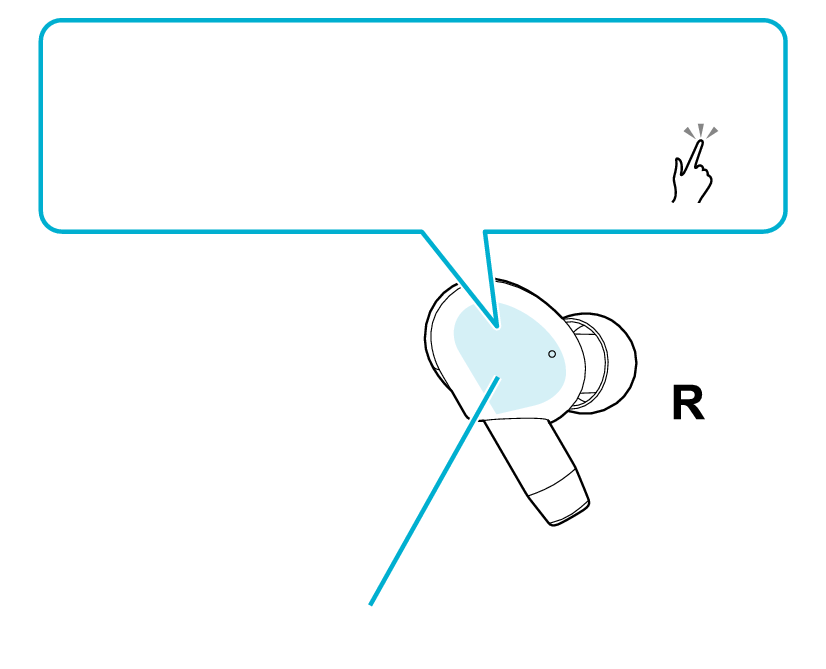
Switch to noise canceling mode
1x
Touch sensor area
Each quick tap switches on/off the noise canceling mode.
Upon switching to the noise-canceling mode, “Noise Canceling” is output from the audio guidance.
Select the state after checking
Thank you for using Troubleshooting Guide.
Adjusting the position of the earphone may improve the symptom.
Adjusting the Earphone Position
Rotate the earphones without touching the touch sensor area and adjust them to the angle that fits best.
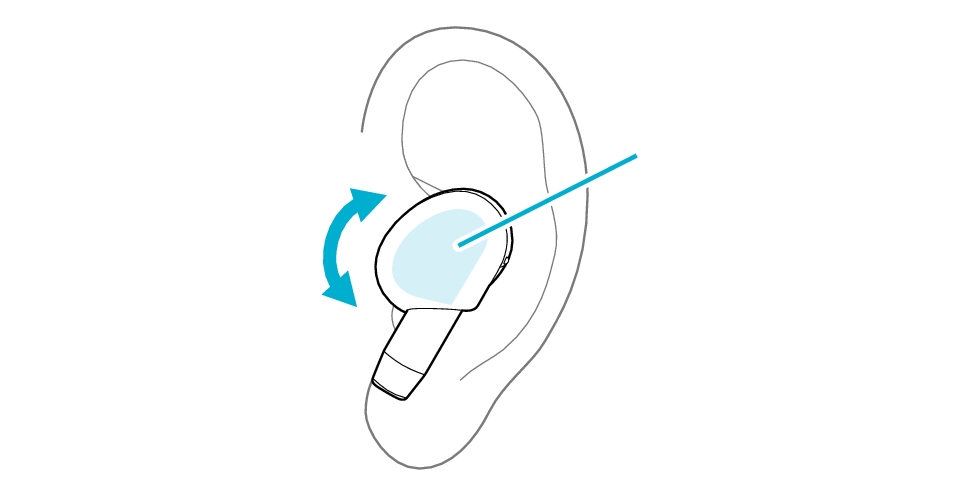
Touch sensor area
Select the state after checking
Thank you for using Troubleshooting Guide.
Replacing the earpieces may improve the symptom.
The medium-size silicone ear pieces are attached when purchased.
To enjoy good sound quality, choose a set of earpieces with a size that fits snugly into your ears.
Using an ear piece that is not of the right size or not aligned properly can result in a lack of bass or reduction of the noise canceling effect.
Check that the ear piece is securely attached as shown in the figure.
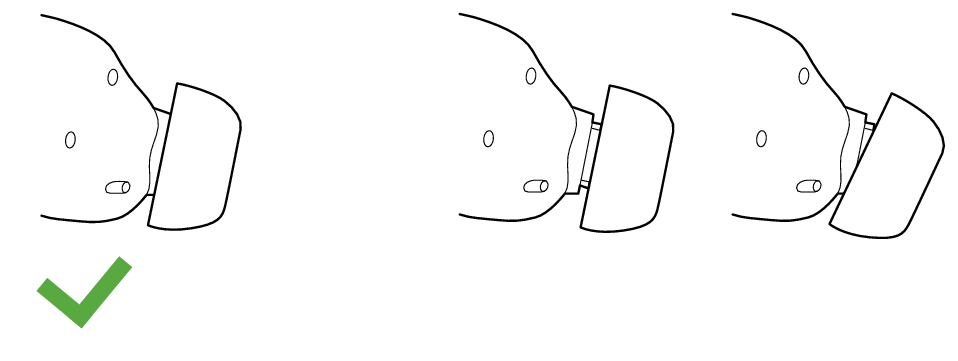
Correct
Wrong
If the ear piece is not securely attached, it may slipped off when in use and remain in your ear. If the ear piece remains in your ear, be careful not to push it further into your ear.
Adjusting the position of the earpieces may improve the issue.
Adjusting the Earpiece Position
-
Flip the ear pieces as shown in the illustration below, and align the ▽ marks on the earphones and ear pieces.
-
Flip back the ear pieces as illustrated in the diagram.
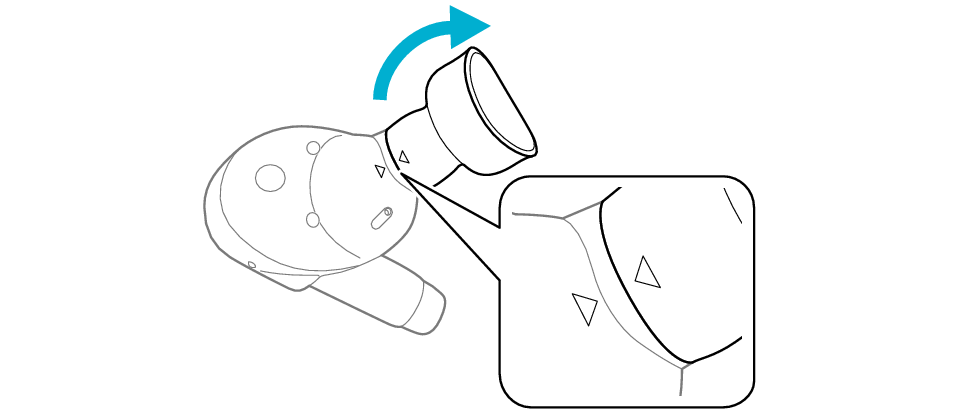

Select the state after checking
Thank you for using Troubleshooting Guide.
The effect may not be noticeable due to the surrounding environment.
The noise canceling function reduces the noise by generating sound that is exactly opposite in phase to the noise from the external environment.
Although the effect on low frequency noise such as noise from vehicles and air conditioners in a room is noticeable, it may not be as noticeable in a quiet place and with certain types of noise.
Move to another location and check the effect.