
When the luminance level range for displaying zebra patterns is specified, diagonal lines (zebra pattern) are displayed at areas with the specified luminance levels during shooting.
Setting Zebra Pattern

Set [LCD/VF]  [Shooting Assist] [Zebra] to “On”.
[Shooting Assist] [Zebra] to “On”.Specify the brightness (luminance) level range for displaying zebra pattern.
Specify the upper and lower limits of the luminance level in [LCD/VF] [Shooting Assist] [Zebra] [Top] and [Bottom].
|
Item |
Settings |
Options |
|---|---|---|
|
Top |
Upper luminance limit for displaying [Zebra] |
5%, 10% to 95%, 98%, 100%, Over |
|
Bottom |
Lower luminance limit for displaying [Zebra] |
0%, 5% to 95%, 98%, 100% |
Memo
The timing to detect the zebra pattern display can be configured only when “J-Log1” or “HLG” is selected in [Color Space] and “Cam” or “Cam + Return” is selected in [Convert to ITU709].
Display the zebra pattern.
Press the [ZEBRA/5] button to display the zebra pattern in the specified range.
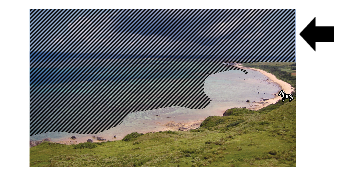
During zebra pattern display,  (zebra icon) is displayed on the display screen in Camera mode.
Memo
“Zebra” is assigned to [ZEBRA/5] button in factory default.
“Zebra” can also be assigned to other user buttons.
