
You can adjust the output value of the projected image with respect to the video signal input.
Adjusting the Output Value of the Projected Image (Gamma/Tone Mapping)
TOPThis feature is not available when “Picture Mode” is configured to “Frame Adapt HDR 1”~“Frame Adapt HDR 3”/“HDR10+”/“FILMMAKER MODE”.
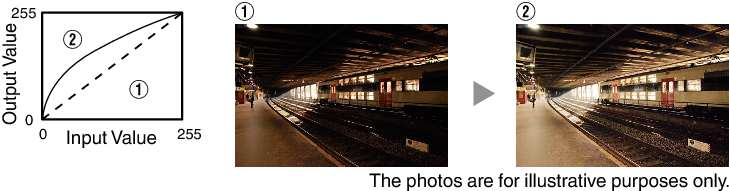
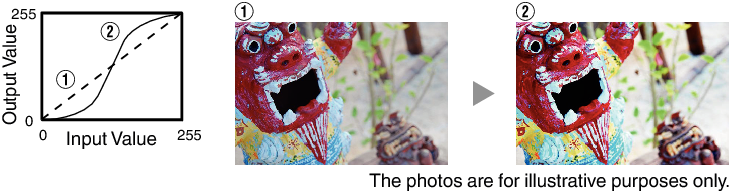
Example of gamma adjustment
The overall image appear brighter with respect to the original image, making the dark areas more visible.
Increases the contrast with respect to the original image, creating a greater sense of depth.
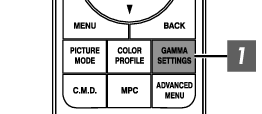
Press the [GAMMA SETTINGS] button to display the Gamma/Tone Mapping menu
Select the “Gamma/Tone Mapping” to configure
You can also perform the setting by pressing the [MENU] button to display the menu followed by selecting “Picture Adjust”  “Gamma/Tone Mapping”.
The selectable “Gamma/Tone Mapping” settings vary according to “Picture Mode”.
“Gamma/Tone Mapping” Settings
|
Gamma/Tone Mapping |
Description |
|
|---|---|---|
|
When “Color Profile” is set to “Film 1” |
Film 1 |
Image is close to the characteristics of Eastman Kodak Company movie films. |
|
Film 2 |
Places more emphasis on the gradation compared to the “Film 1” setting. |
|
|
When “Color Profile” is set to “Film 2” |
Film 1 |
Places more emphasis on the contrast compared to the “Film 2” setting. |
|
Film 2 |
Image is close to the characteristics of FUJIFILM Corporation movie films. |
|
|
2.2 |
The gamma is set to “2.2”, “2.4” and “2.6” respectively. |
|
|
2.4 |
||
|
2.6 |
||
|
Cinema 1 |
Places emphasis on the gradation. |
|
|
Cinema 2 |
Places emphasis on the contrast. |
|
|
HDR(Auto) |
Automatically corrects “Picture Tone”“Dark Level”“Bright Level” from Max CLL/Max FALL with “HDR(PQ)” as the base. |
|
|
HDR(PQ) |
Suited for viewing HDR content such as UHD BD (HDR10). |
|
|
HDR(HLG) |
Suited for viewing HDR content such as HDR broadcast. |
|
|
Pana_PQ |
Tone mapping used exclusively for Panasonic UHDBD players. For details on how to use this option, please refer to LINK. |
|
|
Custom 1 to Custom 3 |
Enables fine adjustment of gamma according to preference. |
|


List of Selectable “Gamma/Tone Mapping” According to “Picture Mode”
|
Picture Mode |
Gamma/Tone Mapping |
|---|---|
|
Film |
Film 1 |
|
Film 2 |
|
|
Custom 1 to Custom 3 |
|
|
Cinema |
2.2 |
|
2.4 |
|
|
2.6 |
|
|
Cinema 1 |
|
|
Cinema 2 |
|
|
Custom 1 to Custom 3 |
|
|
HDR10 |
HDR(Auto) |
|
HDR(PQ) |
|
|
Custom 1 to Custom 3 |
|
|
Pana_PQ |
Pana_PQ |
|
HLG |
HDR(HLG) |
|
Custom 1 to Custom 3 |
|
|
User 4 to User 6 |
HDR(Auto) |
|
HDR(PQ) |
|
|
HDR(HLG) |
|
|
Custom 1 to Custom 3 |
The “Gamma/Tone Mapping” features are not available when “Picture Mode” is configured to “Frame Adapt HDR 1”~“Frame Adapt HDR 3”/“HDR10+”/“FILMMAKER MODE”
 Picture Adjust
 Input Signal
 Installation
 Display Setup
 Function
 Information
