
> Using the Different Features (Using the App) > Using the multipoint function
Using the multipoint function
You can pair the earphones with two devices (mobile phone, smartphone, etc.) at the same time and go into standby or switch the device for playing music (multipoint).
Music cannot be played or a call cannot be answered on two devices simultaneously.
We do not guarantee all operations of the BLUETOOTH device. If the BLUETOOTH device cannot be operated using the System, operate on the BLUETOOTH device.
Depending on the Bluetooth device in use, the second device may be disconnected while the first device is in use.
When connecting the computer and smartphone using the mutlipoint, starting a conference or call on the computer may cause the System to lose connection with the smartphone and unable to reconnect depending on the surrounding environment and BLUETOOTH device. The connection will reestablish once the conference or call is ended.
Using the multipoint function for pairing
-
1Pair the System with first BLUETOOTH device.
-
Refer to Pairing (Registering a device).
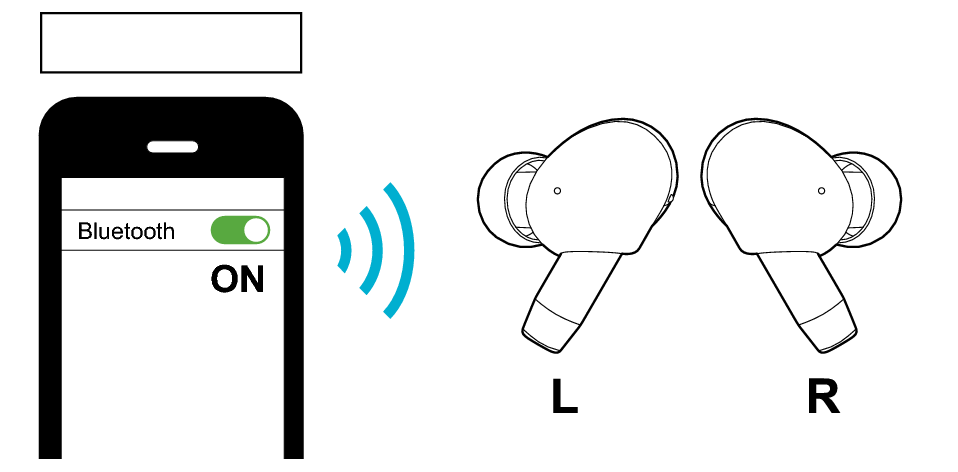
First Device
-
2Set the Bluetooth setting of the first device to “Off”.
-
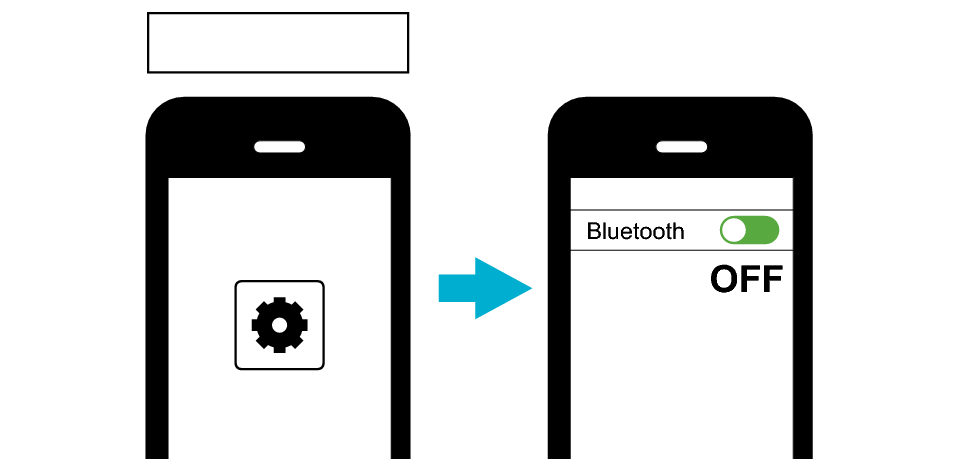
First Device
-
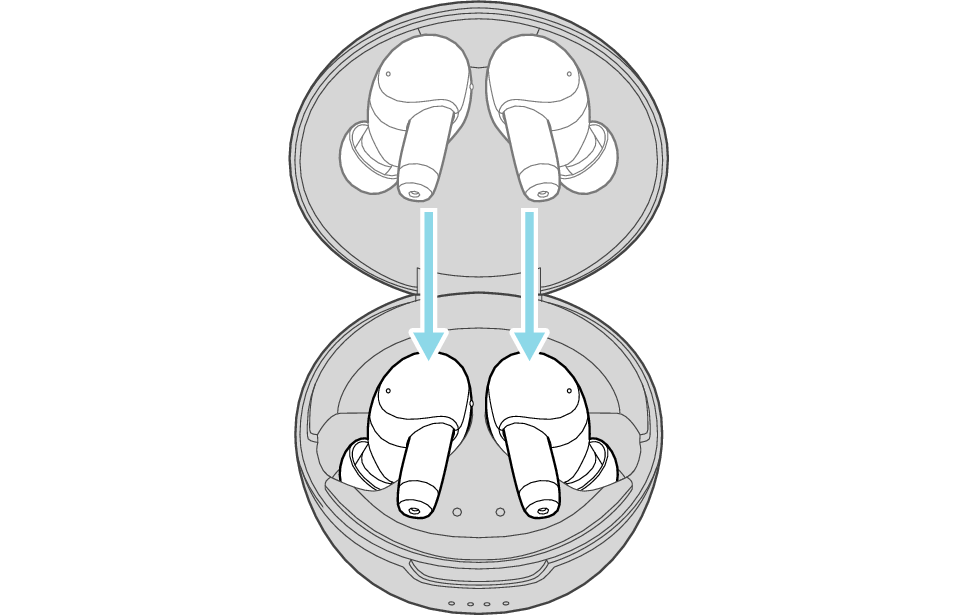
3Place the earphones in the charging case.
-
-
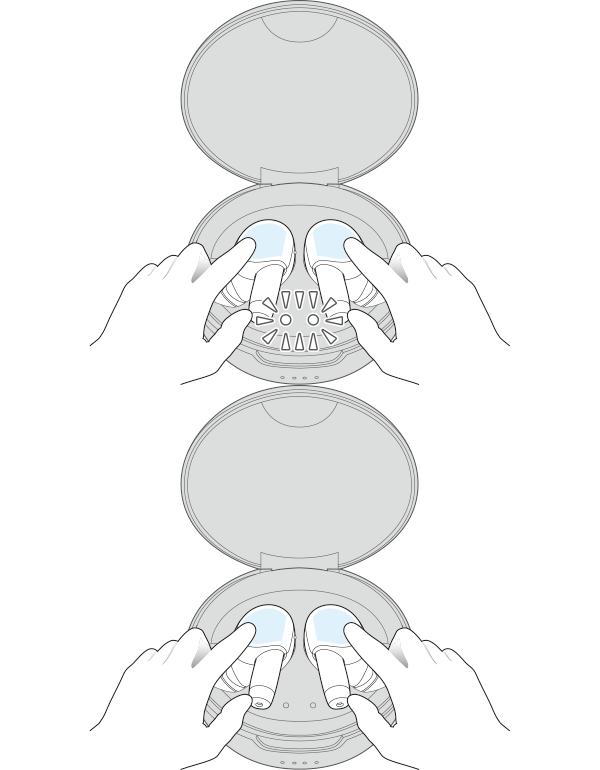
4Touch and hold the touch sensor on both the L (left) and R (right) earphones for about 5 seconds.
-
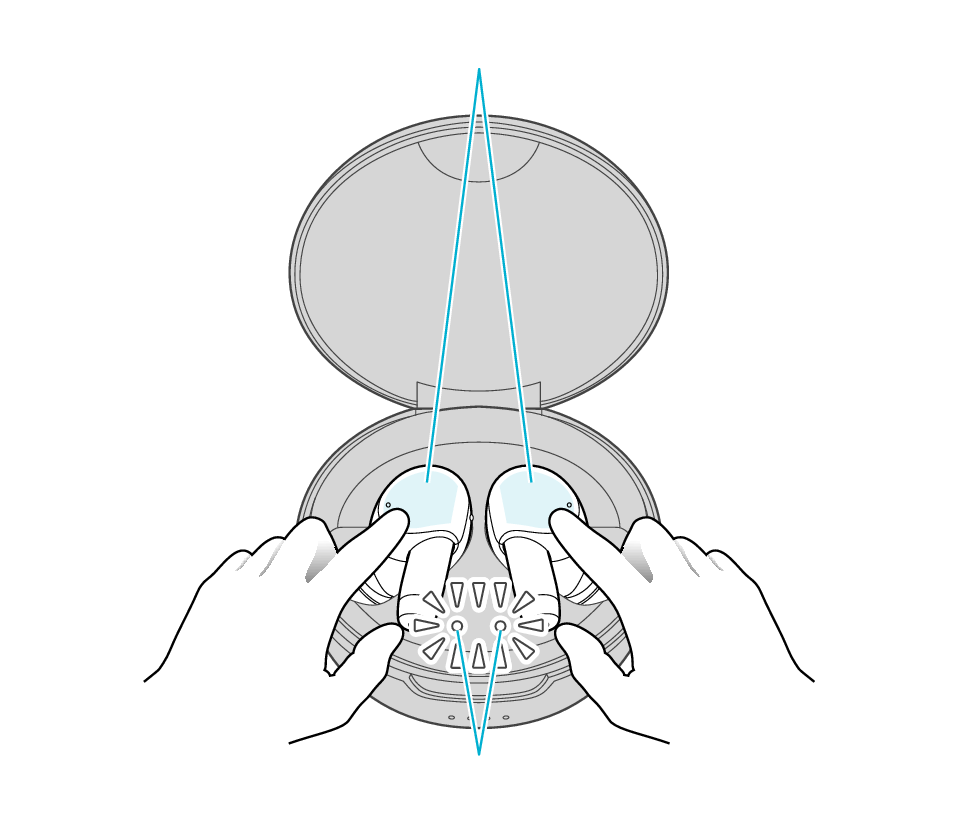
Touch sensor area
Indicators for the earphones
Both L and R indicators for the earphones flash quickly and repeatedly, indicating that they are in the pairing mode.
If the indicators for the earphones do not flash quickly, close the lid of the charging case, open it again, followed by tapping and holding the touch sensor on both the L (left) and R (right) earphones for about 5 seconds.
-
5Pair the System with the second BLUETOOTH device.
-
Refer to Pairing (Registering a device).
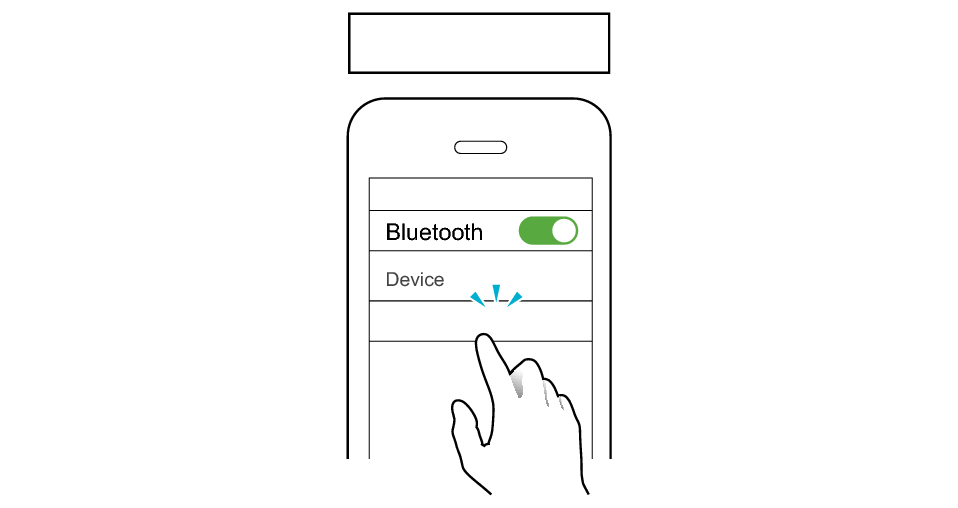
Second Device
JVC WOOD masterpiece
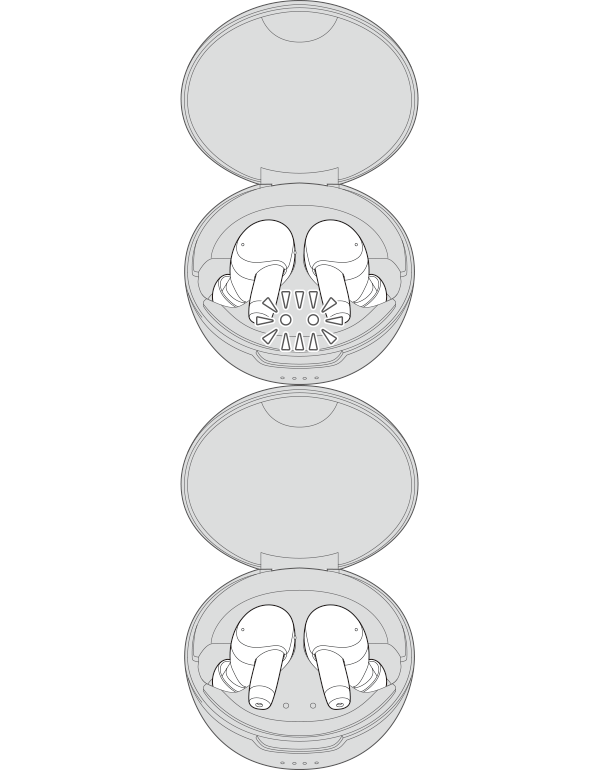
When connection is established, the L and R indicators for the earphones will start to flash slowly.
-
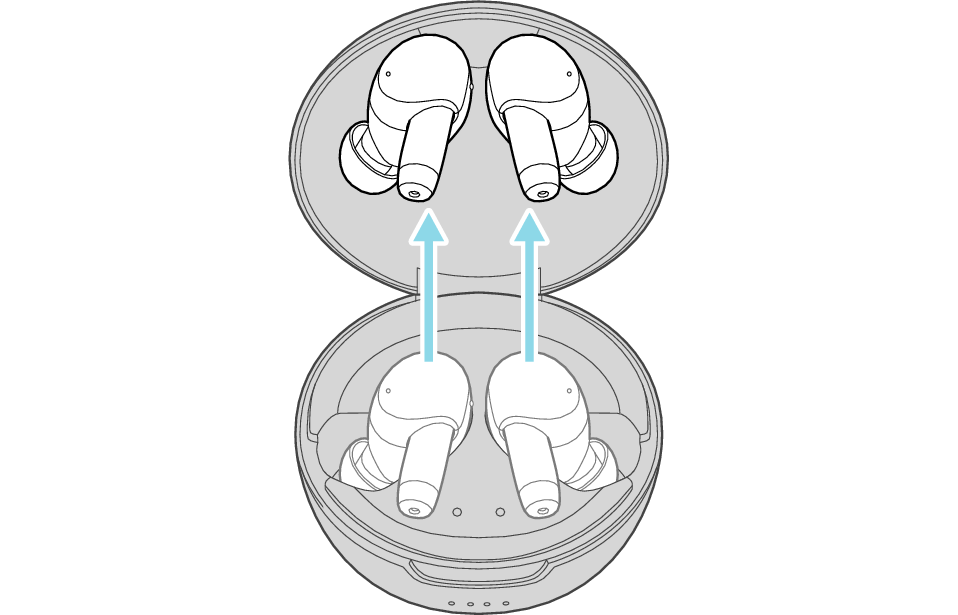
6Take out both earphones from the charging case and wear them in your ears.
-
-
7Set the Bluetooth setting of the first device to “On”. If it is not reconnected automatically, select this earphone unit again.
-
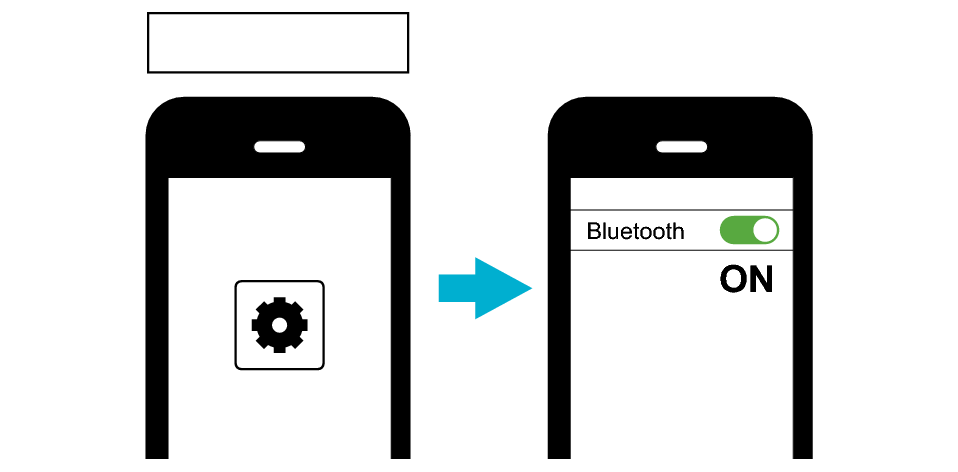
First Device
“Device Two Connected” can be heard from the audio guidance when connection with both Bluetooth devices is established.
During multipoint connection, you can answer incoming calls from the second BLUETOOTH device even while listening to music on the first BLUETOOTH device.
If the earphones are not connected to the Bluetooth device, select this earphone unit on the Bluetooth device to establish connection.
Answering an incoming call while multipoint is in use
The following are steps for operating the earphones to answer an incoming call to the second Bluetooth device while you are in a call to the first Bluetooth device.
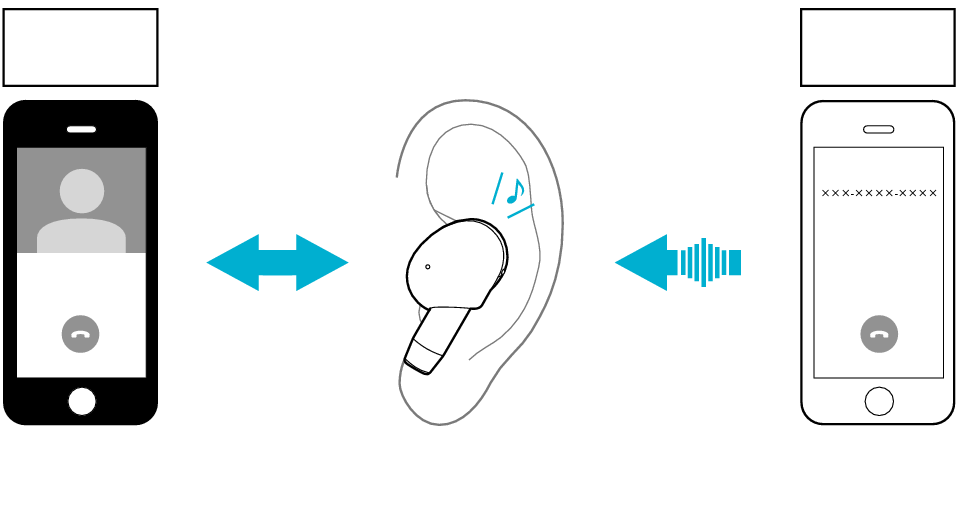
First Device
Second Device
Incoming call from second Bluetooth device while in a call to the first Bluetooth device
In a Call
Incoming Call
You will hear a call alert when there is an incoming call to the second Bluetooth device.

Tap the touch sensor of the L earphone once
Remains connected
Switches to answering the call to the second Bluetooth device
In a Call
To end the call on the second Bluetooth device, touch and hold the touch sensor of L earphone for 1 second
Returns to answering the call to the first Bluetooth device
In a Call
To end the call on the first Bluetooth device, touch and hold the touch sensor of L earphone for 1 second
Ends call
If the Bluetooth device is a computer, operate the computer to answer or end a call.
During multipoint connection, operating the remote control of the earphones controls the operation of the Bluetooth device that is currently playing music or in a call. It does not control the operation of the other device.
If you are not playing music or in a call on both Bluetooth devices, operating the remote control controls the operation of one of the Bluetooth devices but not the other. You cannot select which Bluetooth device to control in this case. If you want to do so, play back music or make a call on the Bluetooth device you want to use.
If you are only using one side of the earphone, you can also perform the same operation using the side that is in use.
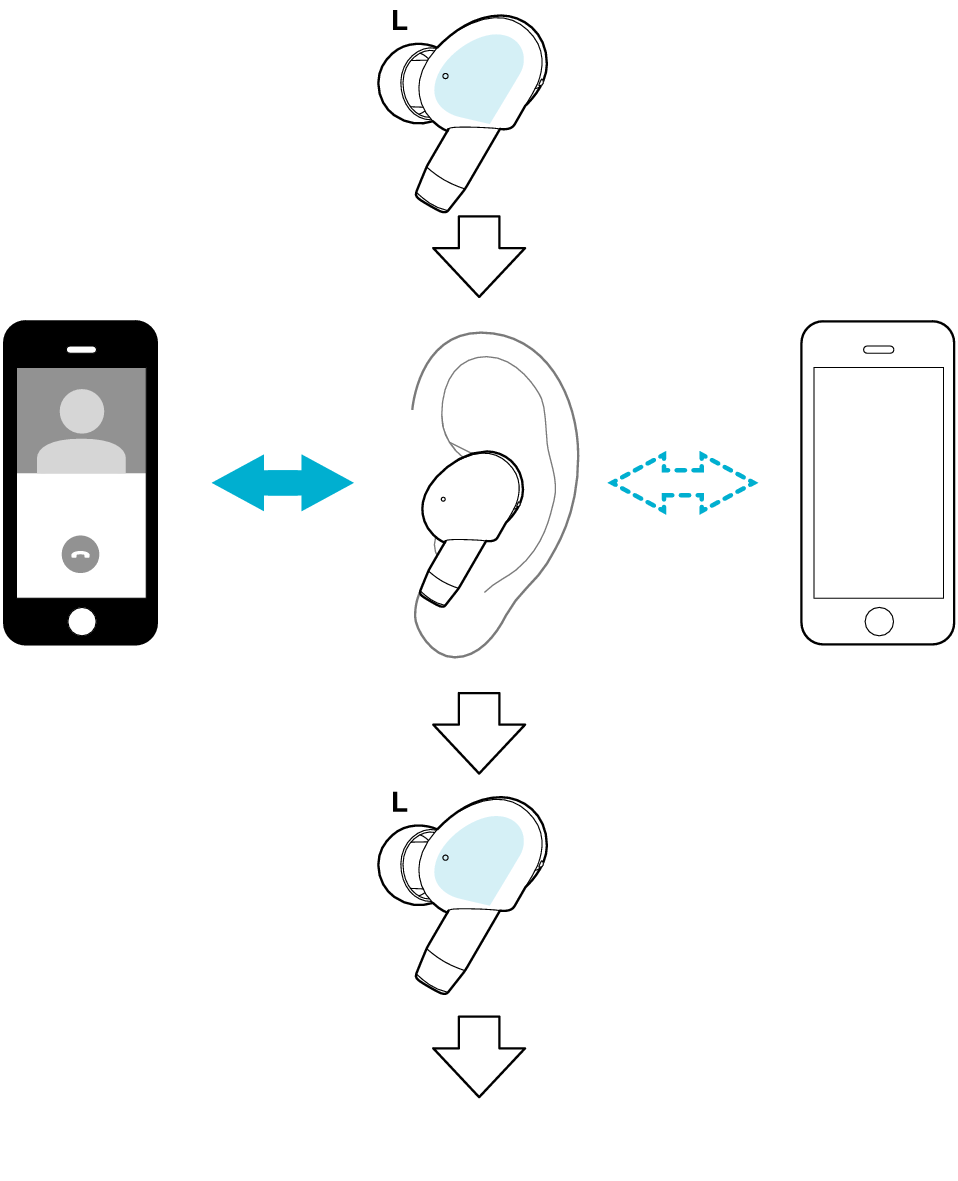
Touch and hold the touch sensor of L earphone for 1 second
Continues call on the first Bluetooth device
Declines incoming call to the second Bluetooth device
In a Call
To end the call on the first Bluetooth device, touch and hold the touch sensor of L earphone for 1 second
Ends call
If the Bluetooth device is a computer, operate the computer to answer or end a call.
During multipoint connection, operating the remote control of the earphones controls the operation of the Bluetooth device that is currently playing music or in a call. It does not control the operation of the other device.
If you are not playing music or in a call on both Bluetooth devices, operating the remote control controls the operation of one of the Bluetooth devices but not the other. You cannot select which Bluetooth device to control in this case. If you want to do so, play back music or make a call on the Bluetooth device you want to use.
If you are only using one side of the earphone, you can also perform the same operation using the side that is in use.
Other Operations of the Multipoint Function
Tap the touch sensor area on the L side once to pause music playback on the first Bluetooth device. Operate the second Bluetooth device to play back music.

Tap the touch sensor of the L earphone once
Pause music playback on the first Bluetooth device
Operate the second Bluetooth device to play back music
Pause
Play