
Power Off
After using the earphones, place them back into the charging case. The power of the earphones will turn off and charging will start automatically.
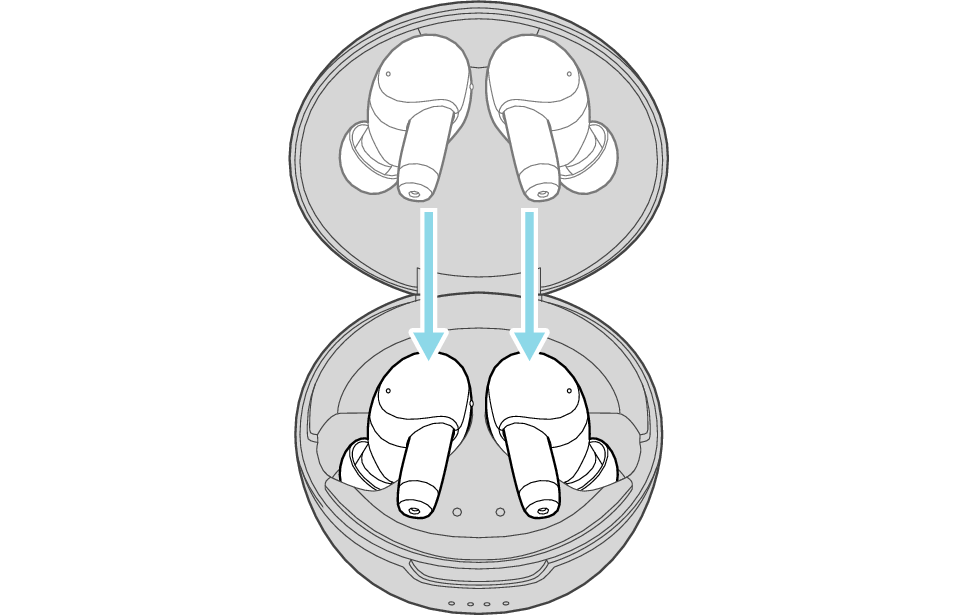
The earphones start charging. Charging
Make sure to close the lid of the charging case.
If the battery power of the charging case has run out, the power of the earphones will not turn off automatically even when they are placed back into the charging case (the indicators for the earphones on the charging case will not light up). When this occurs, charge the charging case. Charging the charging case and earphones
The touch sensor may respond and the power may turn on when the touch sensor area comes in contact with something. When not in use, put the earphones back into the charging case.
Touch and hold the touch sensor area of the L and R earphones for about 5 seconds while the earphones are in your ears.
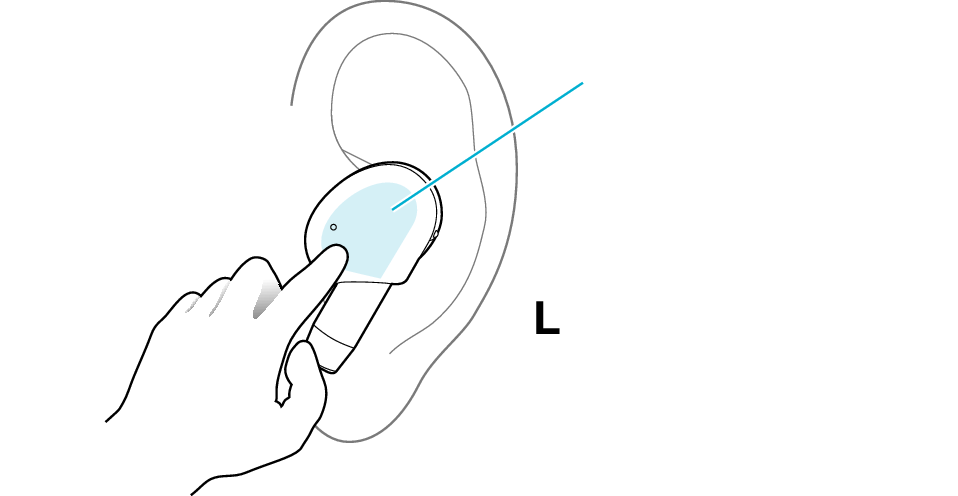
Touch sensor area
The L earphone is used in the illustration.
The touch sensor may respond and the power may turn on when the touch sensor area comes in contact with something. When not in use, put the earphones back into the charging case.