
> When in Trouble > Initializing
Initializing
If no sound is heard from one side of the earphones or the earphones cannot be connected to your BLUETOOTH device, initializing the earphones may solve the problem.
Information of all the paired devices will be deleted (initialized). Perform pairing again from the start.
Start by deleting the registration information of the System from the BLUETOOTH setting on the BLUETOOTH device.
Charge the charging case beforehand.
Remove the earphones once if they are inserted into the charging case.
Follow the steps below to initialize the settings of both the L and R earphones at the same time.
-
1Insert the earphones into the charging case.
-
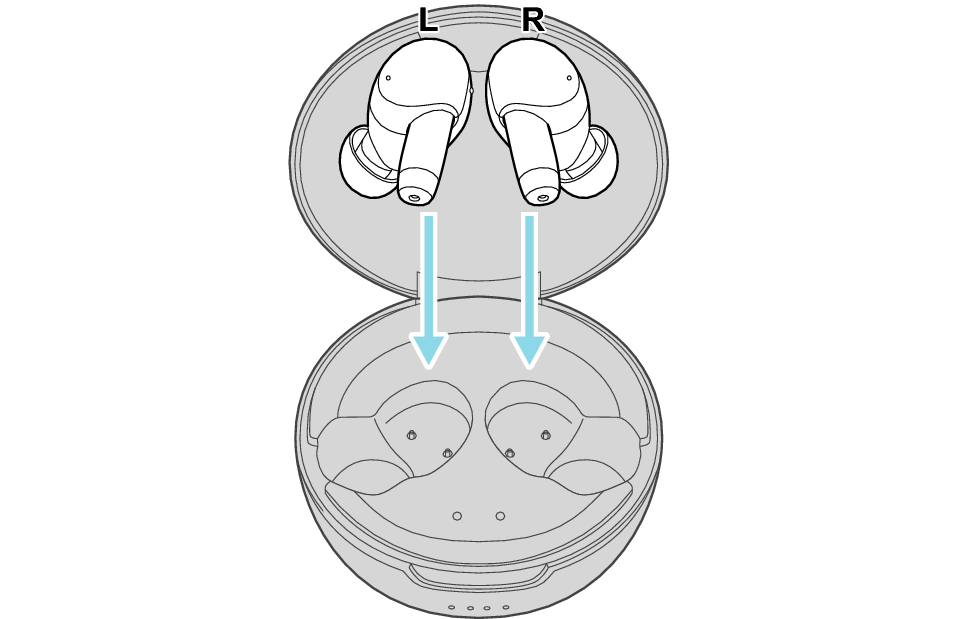
After a few seconds, the indicators for the earphones and charging case will light up.
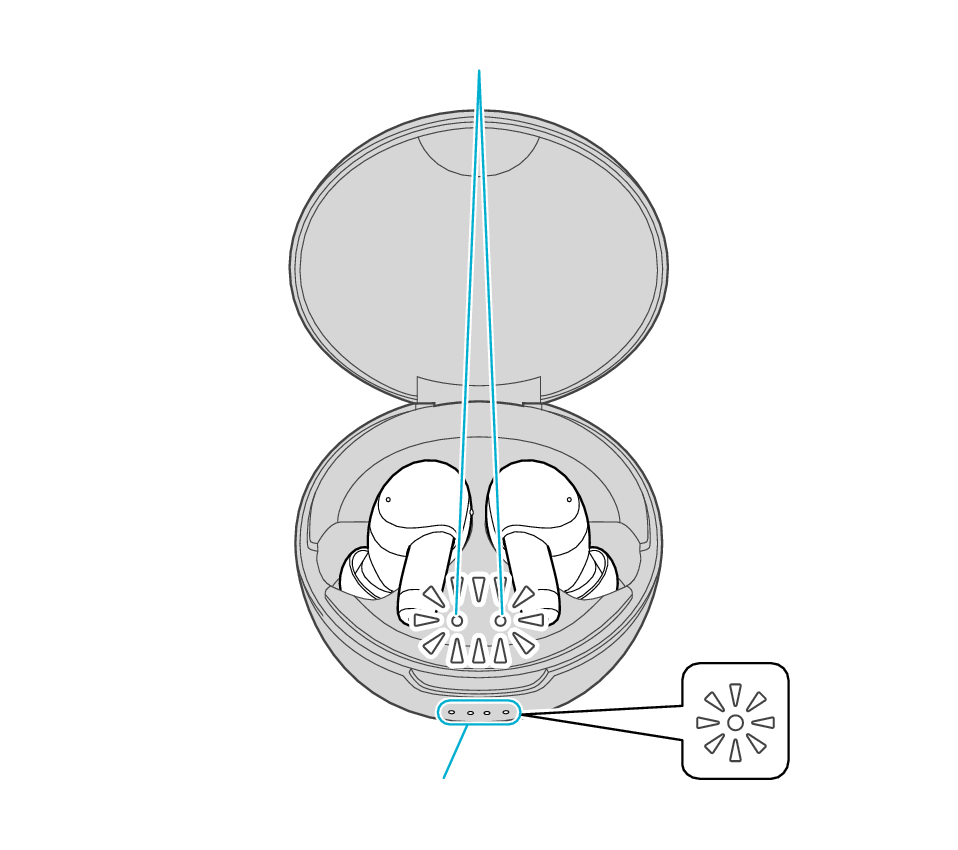
Indicators for the earphones
Indicators for the charging case
-
2When the indicators for the earphones are lit, tap the touch sensor area on both L and R earphones at the same time 6 times in a row.
-
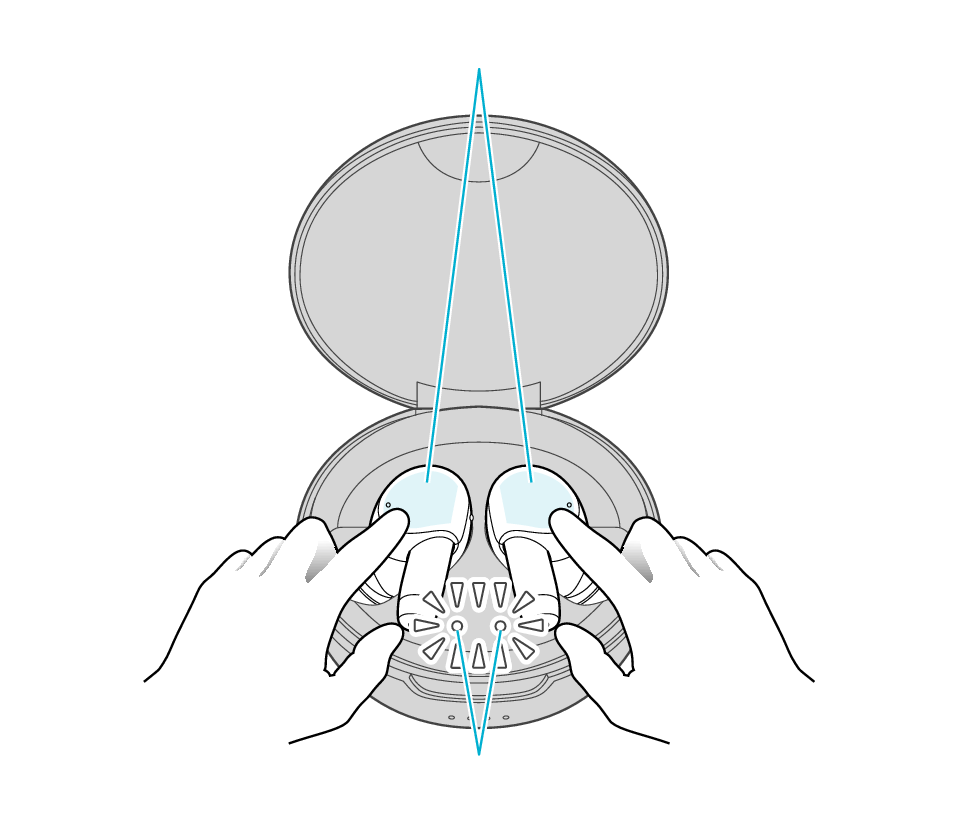
Touch sensor area
Indicators for the earphones
The indicators for the earphones start to flash quickly.
If the indicators do not flash quickly, remove both earphones from the charging case, and start over again from step 1.
-
3While the indicator is flashing, touch and hold the touch sensor area on both L and R earphones at the same time for about 1 second.
-
The indicator will stop flashing after 10 seconds. Touch and hold the touch sensor for about 1 second while it is flashing.
Touch sensor area
Indicators for the earphones
The L and R earphones are automatically connected inside the charging case.
After initialization is complete, the L and R indicators for the earphones will flash twice slowly.
After initialization is complete, charging of the earphones will resume, and the indicators for the earphones will turn on or go off.
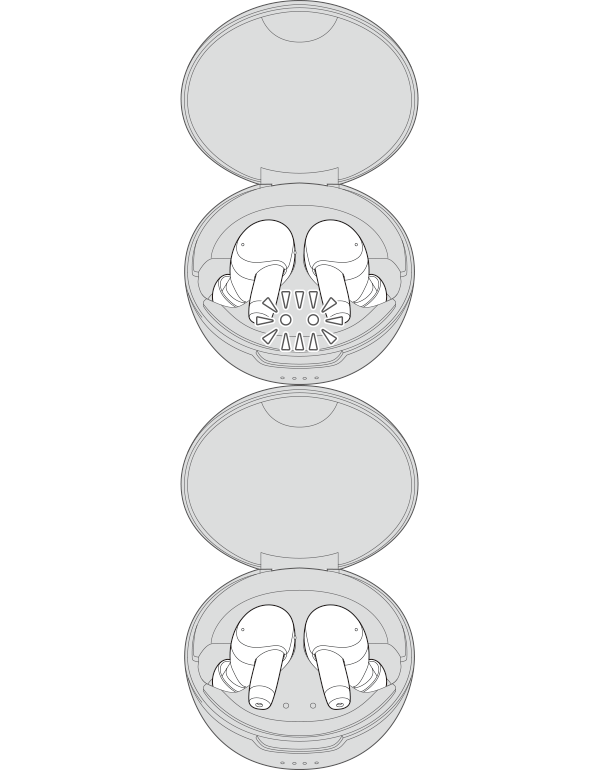

Initialization is now complete.
Information of all paired devices has been deleted. Pair the respective Bluetooth devices (device registration) again. Pairing (Registering a device)