
> Others > Indicators for the Earphones on the Charging Case
Indicators for the Earphones on the Charging Case
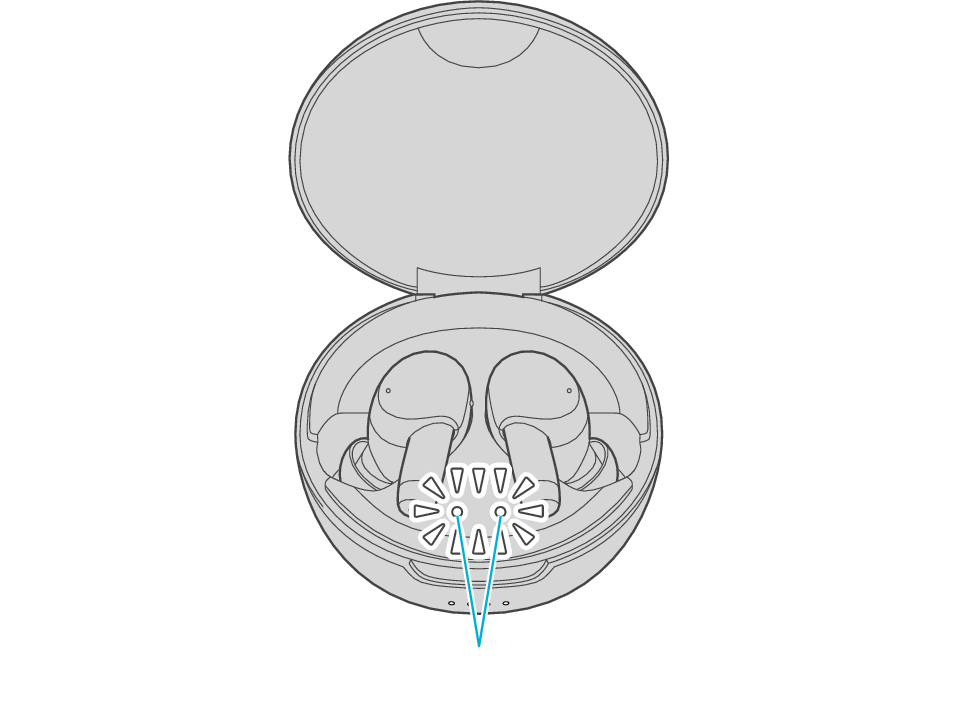
Indicators for the earphones
|
Earphone status |
Status |
Action |
|
|---|---|---|---|
|
L |
R |
||
|
Lights up  |
Lights up |
Charging in progress (while inserted in the charging case) |
- |
|
Light goes out |
Light goes out |
Charging completed (while inserted in the charging case) |
- |
|
Flashes twice repeatedly  |
Flashes twice repeatedly |
Charging in progress (while inserted in the charging case) Temperature error |
Please charge within the charging temperature range (5 °C (41 °F) to 35 °C (95 °F)). |
|
Flashes quickly  |
Flashes quickly |
Waiting for pairing |
Turn on the BLUETOOTH function on the BLUETOOTH device, select this unit from the device list. |
|
Flashes slowly  |
Flashes slowly |
L and R earphones are properly connected to the BLUETOOTH device |
- |