
> Using the Different Features (Using the App) > Wear sensors
Wear sensors
The wear sensors detect whether the earphones are worn properly.
When they detect that earphones are worn, a tone (melody) will be emitted.
When the earphones are removed from your ears, the touch operation is disabled to prevent errors.
The wear sensor can be turned on or off through the app. For more details about the app, please refer to the following link. About the JVC Headphones App
The wear sensor is set to on at the time of purchase.
The wear sensors may not work depending on the usage condition.
Take care not to cover the wear sensors after removing the earphones from your ears. Otherwise, they may respond and result in errors.
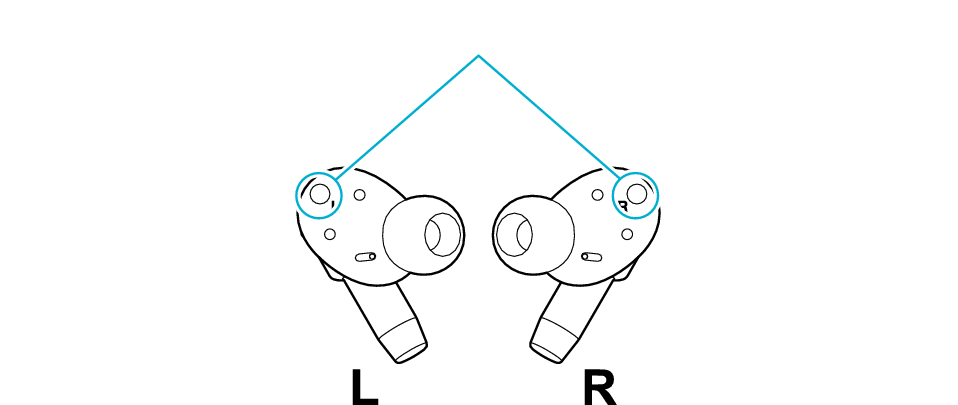
Wear sensors
When the wear sensors are turned on, the touch sensors will not respond if the earphones are removed from your ears. To turn off the power of the earphones, place them in the charging case. Alternatively, touch and hold the L and R touch sensor areas for about 5 seconds if you are wearing them in your ears. Power Off
If the wear sensor area is dirty, it may lead to errors. Wipe the surface regularly with a piece of dry cloth.