
For changing the low latency setting.
You are recommended to set to “On” for contents requiring short latency such as games.
Reducing the After-image of Fast-moving Images (Blur Reduction)
TOP
Press the [MENU] button to display the menu and select “Picture Adjust”  “Blur Reduction” “Low Latency”
“Blur Reduction” “Low Latency”|
Setting |
Description |
|---|---|
|
On |
Performs the low latency setting. |
|
Off |
Does not perform the low latency setting. |
“Clear Motion Drive” cannot be set when “Low Latency” is set to “On”.
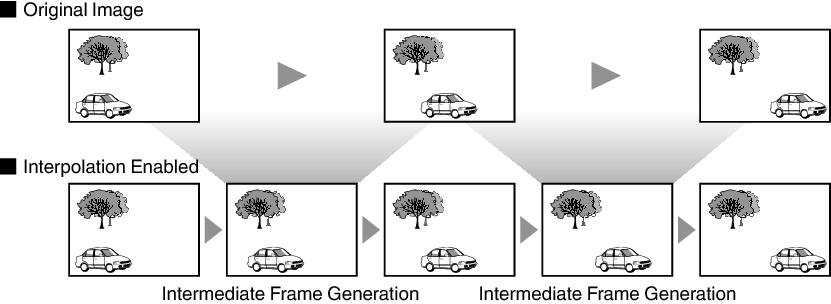
Optimal interpolation according to the content is made possible with the new high-definition image interpolation technique.
For some scenes, interpolation may cause distortion in the image. In this case, set to “Off”.
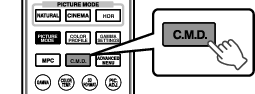
Press the [C.M.D.] button
Pressing the [C.M.D.] button each time switches the mode in the following sequence: “Off” “Low” “High” “Inverse Telecine” “Off”...
|
Setting |
Description |
|---|---|
|
Off |
Interpolation is not performed. |
|
Low |
Improves motion lag for movie type images. |
|
High |
Improves motion lag fast moving sports type images. |
|
Inverse Telecine |
60i/60p video images such as those of TVs and DVDs. Suitable for original images that are 24-frame film sources. Does not function for 24p video images. |
C.M.D. is the abbreviation for Clear Motion Drive.
This item cannot be set when “Low Latency” is set to “On”.
You can reduce motion blur with this function enhancing the response of D-ILA image devices.
If the image outline is unnatural, set this item to “Off”.
Press the [MENU] button to display the menu and select “Picture Adjust” “Blur Reduction” “Motion Enhance”
“Blur Reduction” “Motion Enhance”|
Setting |
Description |
|---|---|
|
Off |
Does not perform correction. |
|
Low |
Reduces image blurring. |
|
High |
Further reduces image blurring than “Low”. |
 Picture Adjust
 Input Signal
 Installation
 Display Setup
 Function
 Information